Saturday, December 27, 2014

Liebster Award


I didn't know what it was, but apparently I was nominated for a Liebster Award by Rachel from Music with Mrs. Tanenblatt!  Thanks so much, Rachel!
The Liebster Award was created to highlight blogs with growing audiences. 

The rules for receiving this award are:

  1. In your post link back to the blogger who nominated you as a thank you and a 'shout out'.
  2. Answer the questions that the tagger set for you plus create 11 questions for the people you've tagged to answer. (The questions I have answered please)
  3. Nominate 11 people (Blogs with less than 200 followers) and link them in your post. 
  4. Let your nominees know and provide them with a link back to your post (so they can see the rules)
  5. No nominating the person who nominated you, however send them a thank you :)
1. Why and how long ago did you start blogging?
I had a xanga like most high schoolers, if you can call that a blog, about 10 years ago.  After spending countless hours reading other music teacher blogs, I felt I had some information to give back as well and started a blog this past summer!

2. What one word sums up the heart of your blog and why?
Technology.  I love using tech in my music classroom and as the technology coordinator of my school, I'm the first to test drive any new tech in our building and am always trying to make it easy for my fellow teachers to incorporate in their classroom as well.  I have a few blog posts purely about tech as guides for other teachers in my building.

3. Is there something you learned late in your blogging journey you wished you knew before?
Pace yourself!  I had so many things I wanted to post back in July that I was posting 3 or 4 pages a week.  Now that I'm in the hubbub of school, I'm scrounging for time to post.

4. What is your favorite past time other than blogging?
I like to crochet.  It keeps my hands busy.  My husband and I are TV addicts too.

5. How many hours per week do you dedicate to your blog/TpT?
I'm addicted to TPT.  It's too easy!  I love creative digital design and any new idea I get for a product consumes me until it's done.  Maybe 4-5 hours a week.

6. What category of blog posts do you enjoy the most?
I appreciate DIY posts that save money!  I have a decent budget at my school but I feel bad constantly buying new things so I love to make them! 

7. Where does your blog inspiration come from?

My kids!  They dictate the course we take in class whether it be lots of movement or more sit down games or composition or group projects.  When we come up with something good, I can't wait to share with others!

8. Which post that you've written are you most proud of?
I love my QR Interactive Bulletin Board Post.  It isn't the most viewed post of mine, but I am very proud of my bulletin board at school and being able to showcase student work of what we REALLY do in music class. (not just what we sing at a concert).  Whenever there are tours of the school by potential families, they get a chance to scan QR codes and see inside my classroom.  I love it!
9. Is there any post you have been planning to do, but have been postponing it for a while now?
I've got a new one coming out about Jump Bands DYI!  I spent my Christmas sewing with my mother!

10. What's your favorite aspect of blogging?
Helping others in their classrooms as well.  I've been blessed to find a lot of blogs to help me out and inspire me to inspire my kids and I want to share the wealth!
11. Which recipe, project, or idea on my blog would you be most likely to try yourself?
Just heard about your stretchy bands!  Another project for my mother and I to sew and help the little kiddos explore music!

Here are my nominees!
Shelly of Pitch Hill
Michelle of Music with Miss W
Allison of Mallets and Music

Thursday, November 6, 2014

Prezi for iPad!

The art teacher approached me about a new idea for "when you're done time" that can still be meaningful.  She wants the students to be able to see prominent examples of artwork (that she chooses) and choose a short project to do in relation to it.  Her immediate thought was to make a Prezi with artwork since that's what she's familiar with.

Than the questions became can the students access Prezi on their iPads, and even deeper, can we direct them there via QR code???

The answers?  Yes and YES!

Prezi Viewer is a free app (check it out here!) that lets you view any public Prezi on your iPad.  There is also a create/edit your Prezi app but for our purposes, we didn't want students to edit, simply view.

Once you make your own Prezi on your computer, make sure the settings are for Public Viewing.  Then copy the link and head over to a QR generator and print!


Here's a QR code for my Concert Etiquette Prezi!

Wednesday, October 8, 2014

A Listening Walk

A few years ago, I learned about the book The Listening Walk by Paul Showers.  I love it for my little guys to open their ears to the sounds they hear all day everyday!  We read the story together and then go on a Listening Walk of our own!

On a Listening Walk I do not talk.

We echo that phrase over and over and over again with hand motions (starting to integrate Whole Brain Teaching into my daily practices!) to try to get these 4 and 5 year olds to close their mouths and open their ears.  Typically it works!

Before heading outside, we talk about some sounds we might hear outside.  Birds, leaves, wind, crickets, cars, etc.  I try to direct their attention so they have something to listen out for.

Outside I take them all around the playground and close to the wooded area around us.  Every so often I direct their attention silently to the sky for a bird, or an airplane, or to the leaves on the trees.

With Kindergarten, we head inside as well and listen to the sounds around school: keyboard clicking, doors closing, teachers vs. student voices, etc.  

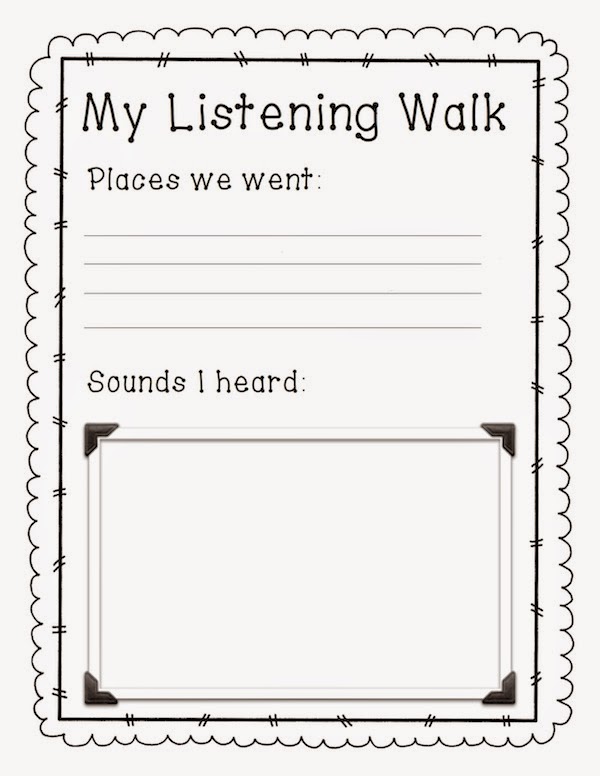
In First Grade this year, I decided to make up a coloring sheet as an activity after our walk.  I bring out crayons and after our walk around the playground, they get the chance to reflect and draw a picture of some sounds their heard.

http://www.teacherspayteachers.com/Product/Listening-Walk-Worksheet-1488704

You can find a link to download My Listening Walk worksheet FREE on my Teachers Pay Teachers store!


Thursday, September 11, 2014

Music Notation Bingo

As a review of rhythm notation, I always play BINGO with my kiddos!  I made a SMARTboard presentation during my first year of teaching and print/laminated boards.


Now that I'm older and wiser (and with iPads), I put the bingo boards in Dropbox instead and have the images saved to the iPads.  Typically, we use a Whiteboard App to cross off symbols.  

After playing BINGO many times, I've noticed the Whiteboard App (FREE) I was using had too many ads and tons of pop ups that distracted my kids.  Today, we used the newly updated EduCreations instead and it worked much more smoothly! 

Here is a link to my TPT store where you can get Music BINGO for your classroom!  

**NO SMARTBOARD REQUIRED!**

This file requires SMART Notebook, SMART Express, or SMART Notebook Interactive Viewer.  SMART Express is a free online program and SMART Notebook Interactive Viewer is a free download.

Check out the SMART website for more information.
http://smarttech.com/Support/Browse+Support/Download+Software

Classroom Setup 2014

I love my music room!  I am in a modular classroom outside of the main building and I have no neighbors...so I can play the music as loud as I want! 

Actually, that's not true.  My neighbors and I do not get along.


Thankfully the neighbors have been evicted and they now reside in the park across the street.

So here are some pictures of my beautiful room!

I LOVE my smartboard and would hate to have to teach without it.  It is so convenient for projecting music, terminology, pictures, video, and more to the students, but even more than that, getting them up and participating in writing rhythms and decoding songs!

In grades 1st-5th, I use classroom Keyboard Clip-Up charts to reward their good behavior and participation!  Here's a link to the FREE file in TPT!
 
I've moved my piano from place to place a few times in the past year, but I've settled here.  I can play and still see the class and they can see me without having to turn from their seats.  Notice my beautiful Boomwhacker wall as well!  With the heat this summer I had to hot glue the velcro back into place, but I love the visual and the kids love putting them away.  My Charlie Brown cutouts are from the Hallmark store the day after Christmas!!


I LOVE sitspots.  If you have carpet (not just a rug), you MUST get your free sample!  www.sitspots.com
I use these dots as "Line up dots" complete with a green spot for our "Lime Leader."  Nothing ruins a good class faster than the race to get in line and all the wandering hands on instruments, my desk, and each other.  The best thing I ever did was give each student a dot and no matter when they are dismissed to get in line, they go to THEIR dot.  

My rug too is awesome!  Inside the colorful concentric circles are smaller circles that are great for assigning seats.  Some of my classes are too big and we "put our toes on the purple" rather than sitting in a "blue and purple circle."    

See my xylophones and metallophones??  When we cleaned out the modular classroom for me to move into the shelves were already there!  I go so excited when I measured and fit even the soprano xylos onto the small shelves.  (My mom made the curtains!)

I hate the cabinents but my principal says they were too expensive to get rid of/change.  I have magnetic "I Can" notes on one of them now but I don't like it.  It's so nice to have the shelf (that used to be a coat rack) for my dollar store baskets.  Each basket has a specific instrument set: metals (triangle/finger cymbols), wood (claves/wood block), rhythm sticks, fuzz balls, scarves, recorders, etc.  Easy for me and the kids to always get what we need.

I've made tons of changes to the room since I first moved in and I'm super proud of them!  


Tuesday, August 5, 2014

A Purposeful Desktop!

I love a clean desktop.  But it just isn't practical most of the time.  When I want to save something so I don't forget it, I can't put it away in a folder in my documents cause then I'll forget about it!  Or when I'm taking screen shots and aren't ready to delete them yet, I just gotta keep them on the desktop!

So why not create an organized desktop for the things I need to keep at the front of my brain!


I did this once for a substitute teacher so she could easily find everything she needed for each class.  But then I got the crazy idea to do it for myself!

All I had to do was create a desktop that had boxes with labels and drag my files where they belong!  Now they are on my desktop but still organized!  I love it!

Background by Lovin' Lit 
Dots by 3am Teacher


Sunday, August 3, 2014

Orff Orff Orff!

Just finished a 2 week intensive Orff training!  I'm flabbergasted with the amount of resources I gained and am itching to get back to school!

Orff is all about hands on!  Hands on rhythm, hands on instruments, hands on melodies, improvisation and more!  I'm so excited to watch my students dive deeper into our musical concepts and expand through creativity!

One of my most favorite parts of the Orff approach is taking children's literature and allowing students to add sound effects, movement, interpretation, melodies, etc!  My next project, then, is going to be scanning a few books into my computer and creating presentations that I can read from, but the students have a better view of pictures/details.  Plus, then I'll have free hands to add my own background music while we read!  I can't wait for the kids to come back!!!